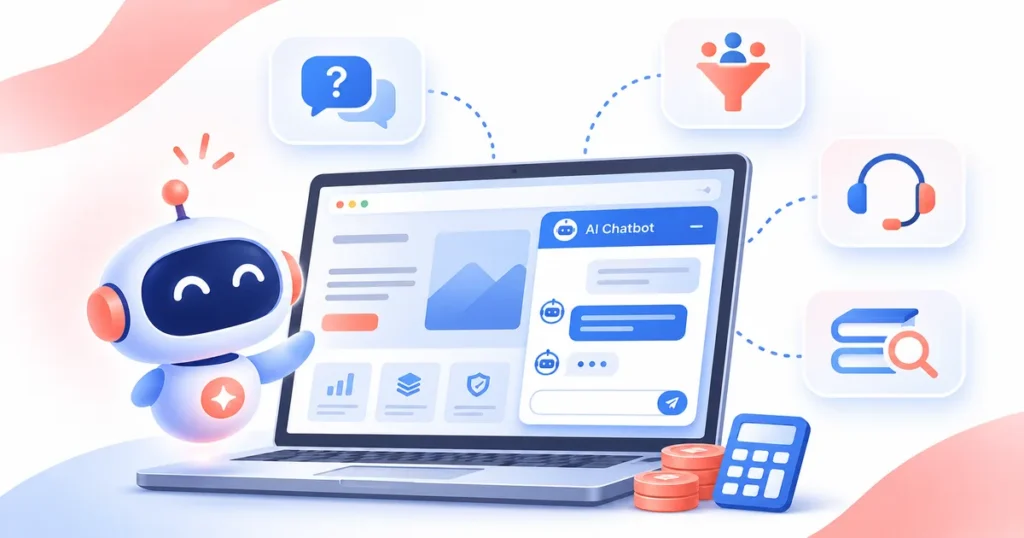
An AI chatbot for your website can be a practical way to answer common questions, capture leads, qualify enquiries and support customers without keeping every conversation manual. The right setup depends on what you want the bot to do. Some businesses only need a simple FAQ assistant, while others need a smarter chatbot connected to products, documents or internal systems. Cost also varies by scope, content quality, integrations and the level of AI you need.
What is an AI chatbot for a website?
An AI chatbot on a website is a chat interface placed on your website that can respond to visitors in real time. It may answer common questions, guide people to the right page, collect contact details, book demos, recommend products or hand the conversation to a human team member.
The important distinction is between a basic scripted bot and an AI-enabled bot. A scripted bot follows fixed flows. An AI chatbot can understand broader questions, retrieve answers from a knowledge base and respond more naturally, provided the content and guardrails are set up well.
Common website chatbot options
Most businesses can choose from four broad approaches. The first is live chat, where people on your team reply manually. The second is a rule-based bot that uses buttons, menus and predefined flows. The third is an AI FAQ bot trained on your website content, documents or support material. The fourth is a hybrid setup, where AI handles routine conversations and humans step in when the request is complex.
For lead generation, a rule-based or hybrid bot often works well because it asks consistent qualifying questions. For support, an AI knowledge-based bot is usually more useful because visitors ask the same issue in many different ways. For internal processes, custom AI chatbots can also connect to CRMs, booking tools or internal dashboards.
What affects the cost of an AI chatbot?
There is no single fixed price because the final cost depends on business goals and technical scope. A bot with five FAQ answers and one lead form is very different from a chatbot that pulls data from a knowledge base, routes leads to a CRM, supports multiple languages and includes human handoff.
The biggest cost drivers are conversation complexity, content preparation, integrations, testing effort, analytics, ongoing training and security needs. If the bot must connect to live systems such as a CRM, LMS, ERP or support desk, the work is usually more custom and therefore more expensive.
| Chatbot type | Typical use | Typical estimate |
|---|---|---|
| Basic rule-based bot | FAQ, contact capture, page guidance | Typically starts from a small setup budget |
| AI knowledge-based bot | Website Q&A, support, lead qualification | Typically a mid-range project, depending on content and integrations |
| Custom integrated AI bot | Sales, support, CRM or system workflows | Typically higher, because logic, testing and integrations are deeper |
How to build one the right way
A good chatbot project starts with clarity, not technology. First decide the main outcome you want, such as more leads, fewer support tickets or faster response times. Then define the top questions the bot should handle, the pages where it should appear and the action it should take when it cannot answer confidently.
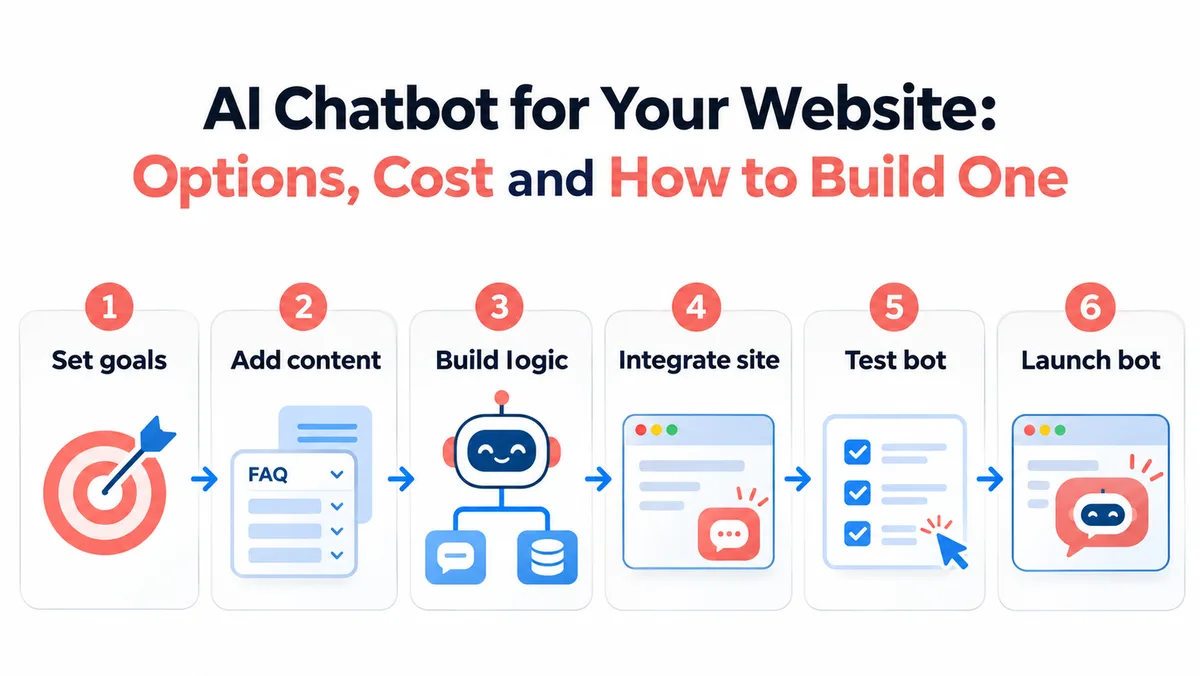
- Set clear goals such as lead capture, support or enquiry routing.
- Collect source content from your website, FAQs, brochures, sales decks and support notes.
- Design the conversation logic, fallback rules and handoff conditions.
- Integrate the bot into the website and connect it to forms, CRM or helpdesk tools if needed.
- Test the chatbot on real questions, edge cases and unclear language.
- Launch in a limited scope first, then refine using actual chat data.
Features worth prioritizing first
It is tempting to ask for every feature on day one, but most websites benefit more from a focused first version. Prioritise the features that directly support visitor intent and business goals.
Useful starting features usually include greeting logic, FAQ coverage, lead capture, page-aware responses, escalation to a person, bot analytics and a content update workflow. If you collect user data, also plan clear consent, privacy messaging and a retention policy.
- Clear handoff to a person when the bot is unsure.
- Lead capture with fields only where needed.
- Conversation analytics to see drop-offs and frequent questions.
- Easy content updates so the bot does not become stale.
- Basic safeguards to avoid misleading answers.
Mistakes businesses should avoid
The most common mistake is launching a chatbot without enough content. An AI bot is only as useful as the material behind it. Another mistake is expecting the bot to replace all human interaction. Visitors still need an easy way to speak with your team when the issue is urgent or sensitive.
A third mistake is measuring success only by the number of chats. A chatbot should be judged by outcomes such as lead quality, support resolution, reduced response time or visitor guidance.
When custom development makes sense
If you need a chatbot that matches your brand, works across multiple pages or products, integrates with your systems and follows your own workflow rules, custom development is often the better route. It gives you more control over logic, analytics, security and the overall user experience.
For businesses that want a tailored solution, BlinkWorx AI development services can help you scope the right chatbot, choose the right stack and build a solution that fits your website and business process.
A practical improvement routine includes monthly review of chat transcripts, updates to FAQs and documents, tracking of conversion events and testing of new flows. This is also the stage where businesses can decide whether a basic bot is enough or whether the project is ready for deeper integrations such as CRM syncing, ticketing workflows or multilingual support.
Launch should be seen as the beginning of the optimisation cycle, not the end. The first weeks usually reveal which questions visitors ask most, where people drop off and which answers feel unclear. Reviewing this data helps you refine prompts, add missing content and improve handoff logic.
How to improve the chatbot after launch
The internal owner should define goals, approve content, review conversation logs and decide when updates are needed. They do not have to manage the technical build alone, but they should coordinate with the agency or development team. When ownership is clear, the chatbot remains useful as the website, offers and customer questions change.
Successful chatbot projects usually have a clear owner inside the organisation. In some companies this may be marketing, because the goal is lead generation. In others it may be support, operations or product, because the goal is resolution and workflow improvement. Without ownership, the chatbot often launches once and then stops evolving.
Who should own the chatbot project internally?
An AI-first approach is more useful when visitors ask open-ended questions and expect broader help. This is common on service websites, product websites or support-heavy portals. Even then, the best setup often combines both methods: structured flows for high-value actions and AI answers for broader questions. That hybrid model gives better control while keeping the experience helpful.
A rule-based chatbot is usually the safer first step when your website has a narrow scope and the conversations are predictable. It works well for admissions queries, appointment booking, lead capture or a small set of support questions. Because the flow is structured, it is easier to control the answers, test the logic and reduce the risk of wrong responses.
Should you choose rule-based or AI-first?
FAQ
Is an AI chatbot suitable for a small business?
Yes, if the goal is focused. A small business may use a chatbot to answer FAQs, collect enquiries or guide visitors to the right service page. The best approach is usually to begin with a limited scope and expand only after the first version proves useful.
How long does it take to build a chatbot?
A simple website chatbot can be planned and launched relatively quickly, while a custom chatbot with integrations, approval flows and detailed testing takes longer. The timeline mainly depends on content readiness, conversation scope, integrations and how much refinement is needed before launch.
What content is needed before development starts?
At minimum, you need key business goals, common visitor questions, approved answers, escalation rules and the pages where the chatbot should appear. For an AI-driven setup, product details, policies, support documents and internal FAQs are also helpful for better answer quality.
Can a chatbot connect with my CRM or form system?
Yes, many chatbot projects can connect with CRMs, helpdesk tools, booking forms or email workflows. The actual method depends on the systems involved and whether they offer suitable APIs or integration options. That is one reason custom scope affects the final project cost.
How do I measure chatbot success?
Measure outcomes that matter to the business, such as qualified leads captured, support questions resolved, response time reduced, meeting bookings created or bounce reduction on key pages. Review conversation logs regularly so the bot keeps improving instead of becoming outdated.
Key takeaways
- Choose the chatbot type based on the job you want it to do, not on hype.
- Cost depends more on scope, integrations and content readiness than on the word AI itself.
- A narrow, well-tested first version usually performs better than an overbuilt launch.
- Human handoff, analytics and content maintenance are essential, not optional extras.
Getting started with an AI chatbot
An AI chatbot for your website can be a strong addition when it is planned around real visitor needs and clear business outcomes. The best results come from a focused scope, good source content, careful testing and a realistic view of what AI should and should not do. Start small, measure outcomes and improve the bot over time.
Talk to BlinkWorx
If you would like help choosing or building the right solution, contact BlinkWorx for a free consultation. You can also contact us here or message us on WhatsApp.