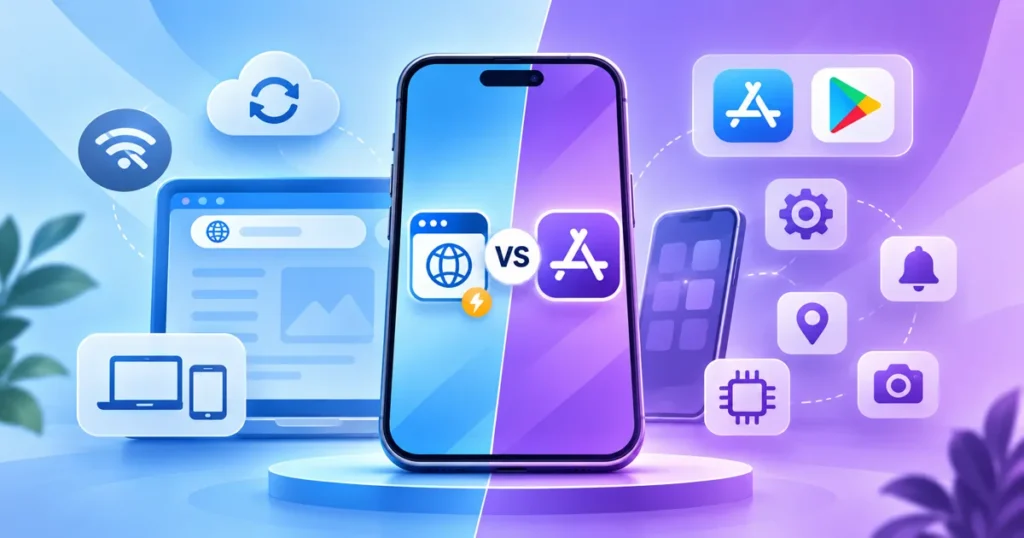
Choosing between a PWA and a native app depends on what your users need, not which technology sounds newer. A progressive web app runs through the browser and can offer an installable, app-like experience. A native app is built for a mobile operating system and distributed through its usual app channels. PWAs often make sense for broad access and a simpler first launch. Native apps are often better when demanding device features, performance or platform-specific experiences are central to the product.
Neither option is automatically cheaper or faster in every case. Your feature list, design quality, integrations, testing and ongoing support determine the real investment. This guide explains the practical trade-offs so you can choose an approach that fits your users and budget.
What is a PWA, and how is it different from a native app?
A progressive web app is a website built with technologies that can support features such as installation, offline caching and an app-like interface. Users generally access it through a URL. Depending on the browser and device, they may also add it to their home screen and receive certain notifications.
A native app is developed for an operating system such as Android or iOS, using that platform’s frameworks and capabilities. It is usually installed from an app marketplace or another approved distribution channel. Native apps can integrate deeply with device functions, but development and release workflows are different from publishing a website.
One important distinction: a responsive website is not automatically a fully capable PWA. Installation, offline behaviour, caching strategy and other capabilities must be deliberately implemented and tested. Similarly, a native app does not automatically offer a better user experience simply because it is native.
PWA vs native app: side-by-side comparison
Use this comparison as a starting point, not a universal scorecard. Device and browser support changes, and the same product can perform differently depending on architecture and implementation.
PWAs can reach users quickly through links, search and existing website journeys. Native apps create a dedicated installed experience and may be more suitable when repeated use, operating-system integration and advanced hardware access are essential.
| Decision factor | PWA | Native app |
|---|---|---|
| Access | Open by URL; installation may be available | Usually installed through app distribution |
| Development | Web stack; potentially shared across devices | Platform-specific or cross-platform mobile stack |
| Offline use | Possible with deliberate caching and sync | Possible with deliberate local storage and sync |
| Hardware access | Varies by browser and operating system | Generally deeper platform API access |
| Updates | Web deployment; cache management needed | Release and update process varies by store |
| Best fit | Link-first services, portals and many business tools | Device-intensive or highly tailored mobile experiences |
Cost: what actually affects the development budget?
A PWA may reduce initial effort when your product can share one web codebase across desktop and mobile. That is especially useful for content, booking, customer portals and straightforward transactions. However, advanced offline synchronisation, complex interfaces and device-specific work can still make a PWA expensive.
Native development can require separate platform work, specialist testing and app-store release management. Cross-platform frameworks can share code, but they do not eliminate platform testing or every native integration. Budget for backend services, security, analytics, accessibility and ongoing maintenance in either approach.
Instead of comparing two headline prices, request estimates for the same user journeys and quality standards. Include design, development, integration, testing, hosting, store-related processes where applicable and support. Ask which assumptions could change the quote.
A useful purchasing approach is to estimate a small first release and a later expansion separately. This exposes which requirements create complexity and prevents a decision based only on the cheapest launch proposal.
Performance, offline access and device features
Native apps often offer more direct access to operating-system APIs and are a strong fit for graphics-heavy experiences, sophisticated background tasks and specialised hardware. PWAs can also feel fast, particularly when carefully optimised, but their capabilities depend on browser support and platform policies.
Offline is not an all-or-nothing feature. A PWA might cache a catalog or previously viewed lesson, yet still need connectivity to complete a payment or synchronise records. Native apps also require explicit offline design, conflict handling and secure local storage.
Notifications, camera access, geolocation and other functions should be tested against the exact devices and browsers your audience uses. Do not assume that a feature supported on one phone behaves identically on every device.
Performance is also shaped by image sizes, network conditions, server response, animation choices and application architecture. A poorly built native app may feel slower than a carefully engineered PWA.
Distribution, updates and user acquisition
A PWA can be opened from a link without requiring a traditional app-store download. This can remove a step for users arriving from search, email, social media or advertising. Updates to web-delivered functionality are generally easier to deploy centrally, although caching and installed experiences still need careful version management.
Native apps benefit from app-store discovery, familiar installation journeys and platform-specific engagement patterns. They also bring review processes, release packaging and store policy requirements. Updates may depend on users installing the latest version.
Think about how people first discover your product. For a one-time utility or occasional customer service journey, a link-first experience can be valuable. For a frequently used personal tool, a dedicated app may support the habits you want to build.
Distribution should not be treated as a marketing strategy by itself. Both options still need onboarding, retention measurement, clear value and ongoing improvements.
When should a business choose each approach?
Choose a PWA when users need easy access from links, the product is primarily forms, content, dashboards or commerce, and advanced platform-specific features are not central. It can also be an effective way to validate a product before committing to a broader mobile strategy.
Choose native when the experience relies on demanding device integrations, complex real-time interactions, sophisticated media processing or platform-specific behaviour. Native may also be appropriate when app-store presence is a deliberate part of the business model.
A hybrid roadmap is possible. Some businesses begin with a web product and later add native apps for high-frequency users or advanced features. Others launch native first because the product would lose its core value without native capabilities.
Your decision should follow a short proof of concept that tests the hardest requirement on representative devices. A small technical experiment is often more useful than a lengthy debate based on assumptions.
A practical decision checklist before development
Write down the top five user tasks and rank them by frequency and importance. Then identify any requirements involving offline work, background activity, camera or location access, notifications, performance-sensitive interaction and secure data storage.
Confirm which devices your audience actually uses, how they discover the service and whether they are willing to install an app. Include the capabilities of your internal team and the maintenance budget you can sustain.
Ask your development partner to show a working prototype of the riskiest workflow. Test it with real users on the relevant devices, including lower-cost phones and slower networks where appropriate.
BlinkWorx can help you compare the options through its mobile app development services, from product discovery and architecture to implementation and launch.
Frequently asked questions
Is a PWA cheaper than a native app?
Often, but not always. A PWA can share a web codebase and avoid some platform-specific development. Complex offline support, advanced integrations and high-quality interaction design still cost time. Compare estimates against identical features, security requirements, testing coverage and support expectations rather than assuming one format is always cheaper.
Can a PWA work without the internet?
Yes, selected features can work offline if developers design caching, local storage and synchronisation properly. Offline capability is not automatic, and operations such as payments or live data updates may still require connectivity. Define exactly what users must do without a connection before choosing an architecture.
Do PWAs support push notifications on iPhones?
Some installed web apps on supported iPhone versions can use web push notifications, subject to platform conditions and user permission. Support and behaviour differ from Android and may change with browser or operating-system updates. Test the notification journey on the actual devices your customers use before making it essential.
Is native always faster than a PWA?
No. Native applications can provide advantages for intensive graphics, specialised hardware and certain platform integrations, but perceived speed depends on implementation. Network delays, heavy assets and poor architecture can slow either approach. Prototype your most demanding user journey and measure performance on representative devices.
Can we launch a PWA first and build native apps later?
Yes. Many teams validate demand through a web-first release and introduce native apps when usage patterns justify them. Plan shared APIs, authentication and data models early so future mobile development is easier. Migration still requires design and testing, so treat it as a roadmap decision rather than a free conversion.
Key takeaways
- A PWA is often attractive for link-first access and shared web development.
- Native apps are often stronger for deep device integration and specialised experiences.
- Offline use, notifications and performance must be tested, not assumed.
- Compare total cost of ownership, including updates, testing and support.
- Prototype the hardest user workflow before committing to a platform.
Choosing between a PWA and a native app
The PWA vs native app choice should begin with user needs, distribution and the capabilities your product cannot compromise. A PWA may deliver an excellent first release for many business workflows, while native development is worth considering when the mobile device itself is central to the experience. Neither technology guarantees adoption or quality.
For a free consultation, explore BlinkWorx mobile app development services, contact us or message us on WhatsApp.