
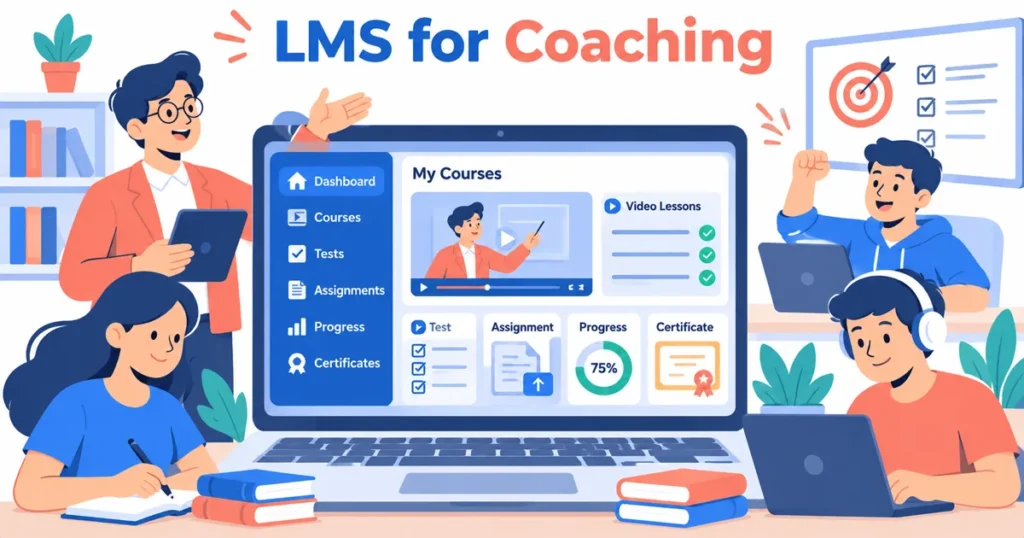
An LMS for coaching institutes should do more than host recorded videos. It needs to support the way your institute actually teaches: live and recorded classes, tests, batch management, assignments, fees, communication and student progress. The right learning management system also makes life easier for faculty and administrators, with simple enrolment workflows and reliable learner access. Before selecting a platform, map your course delivery model and test the features your staff will use every day, not just the attractive demo screens.
Start with your teaching and business model
A single trainer selling recorded lessons has different needs from a multi-branch coaching institute running live batches and regular tests. Document the number of programmes, teachers, batch types, students and delivery modes. Note whether learners buy individual courses, subscribe, pay instalments or join offline classes with online support.
List the workflows that currently waste time: sharing meeting links, collecting assignments, recording attendance, preparing tests, tracking results, issuing certificates or following up on fees. The strongest LMS choice solves these repeated tasks without forcing your faculty to adopt an unnatural process.
Identify who will operate the software. Faculty need quick content and assessment tools. Administrators need admissions, batches and fee visibility. Learners need a clear interface that works on their devices. Owners need reporting without asking staff to manually reconcile different systems.
Live classes and recorded course delivery
For live classes, check how sessions are scheduled, how learners enter, how attendance is recorded and whether teachers can manage multiple batches. Ask about concurrent sessions and the effect of platform limits during busy evening or weekend periods. A live-class feature is useful only if it fits the institute’s actual timetable.
For recorded courses, inspect upload options, playback quality, access restrictions, mobile support and content organisation. Lessons should be easy to group into modules and courses. Review whether the platform supports documents, supplementary materials, links and course prerequisites where required.
Ask how content storage, video streaming and retention are handled. These affect ongoing cost and user experience. Do not assume that ‘unlimited’ marketing language covers concurrent classes, video storage, bandwidth or long-term retention without a written definition.
Tests, question banks and assignments
Assessment is often central to coaching outcomes. Review question types, time limits, negative marking where needed, randomisation, question banks and exam-level reporting. Students should receive clear instructions and usable results, while teachers need insight into recurring areas of difficulty.
Assignments may require file upload, feedback, resubmission and grading. Check whether the workflow supports your subject, not merely generic multiple-choice quizzes. For competitive exam coaching, ask about timed practice sets, subject-wise analysis and batch comparisons; for professional training, certificates or completion rules may matter more.
Test the complete lifecycle: build a test, assign it, take it as a learner, view the result and interpret it as a teacher. A feature list cannot reveal confusing grading rules or difficult navigation.
Batch management, roles and student communication
Growing institutes need structured batch operations. Look for cohort creation, teacher assignments, timetable control, transfers, access permissions and reminders. A learner should see the right course and schedule without receiving links or material meant for another batch.
Communication should support important notices without overwhelming students. Check announcements, email or messaging integrations, class reminders and missed-session follow-up. Students should also know where to ask questions and whether doubts are answered through a forum, discussion area or another channel.
Role permissions matter. Owners, centre managers, teachers, counsellors and students should not all see the same information. Ask how actions are recorded and how staff access is changed when responsibilities move.
Payments, enrolment and brand ownership
An LMS may act as part of your sales process. Review course catalogues, enrolment rules, payment gateways, coupons, tax or invoice workflows where applicable, and the relationship between completed payment and course access. If staff manually correct every second enrolment, the platform is creating hidden work.
A white-label platform can help an institute present courses under its own identity. Check custom domain options, branded web pages and learner apps, along with setup responsibilities and any restrictions on branding. Ownership of your content and export options should be clarified in the contract.
Ask about integration with your CRM or lead management workflow. An enquiry for a demo and a paying student are different stages. Keeping that journey organised helps reduce duplicated records and makes communication more relevant.
Analytics that support teaching decisions
Useful learning analytics answer actionable questions: which students have stopped attending, who is struggling with a topic, which tests are incomplete and what progress has been made over time. A colourful dashboard has little value if teachers cannot identify the next action.
Review report filters for courses, batches, instructors and individual learners. Ask how attendance is calculated for live and recorded activities and whether reports can be exported when necessary. Verify that staff can interpret the metrics without extensive manual spreadsheet work.
Protect learner information. Student performance and payment records should only be available to authorised users. Understand data retention, deletion, backup and account access policies before uploading real student records.
A practical LMS demo and selection checklist
Run a realistic demonstration using a sample course rather than watching a generic sales presentation. Create a batch, invite a student, schedule a live class, upload a recorded lesson, assign a test, collect a payment and inspect the reporting workflow. Note where staff need extra clicks or manual work.
Evaluate total cost of ownership, including implementation, training, storage, live-session limits, learner app scope, integrations and support. Request a clear explanation of what is included in the plan and what counts as an add-on. Pilot with a small faculty group before moving every batch.
For coaching organisations wanting a branded learning environment, BlinkWorx’s AcadifyLab LMS offers a starting point for discussing course delivery, assessments, payments and learner management. The final choice should reflect your teaching model, not a generic feature checklist.
Explore related services: AcadifyLab LMS by BlinkWorx
Support quality deserves a realistic test. Ask the vendor how teachers report issues during a live class, whether students have a help route and what happens when payment access is delayed. During a trial, deliberately test common problems such as a learner joining late, changing batches or forgetting a password. These small events reveal whether the platform can support daily operations at scale.
Consider the learner’s home environment. Students may join using entry-level phones, shared devices or unstable connections. Test navigation, video playback, test submission and notification readability on actual devices. A system that looks polished on an office laptop may still frustrate learners if pages load slowly or lessons are hard to find on mobile.
Plan the transition from existing tools. Prepare course titles, teacher accounts, question banks, student records and content ownership before migration. Decide whether historical test results must be imported or kept separately. A staged transition gives faculty time to learn and avoids interrupting active batches during an important teaching period.
Frequently asked questions
What is the difference between an LMS and coaching CRM?
An LMS handles the learning experience, including courses, classes, tests and learner progress. A CRM manages prospects, enquiries and sales follow-up. Some platforms connect the two, but they serve different core jobs. An institute should map where a lead becomes an enrolled learner before deciding what integration is required.
Can an LMS support both online and offline batches?
Many platforms can support blended learning, but the details vary. Check whether offline learners can receive assignments, recorded revisions, tests, attendance records and communication in the same system. The feature needs to match how your institute actually runs classrooms and schedules, not merely appear in a brochure.
What should a small coaching institute prioritise?
Start with reliable course access, live or recorded delivery, simple tests, batch organisation, payments if required and clear learner communication. Avoid buying advanced features before staff can operate the basics smoothly. A limited pilot can reveal whether the platform is practical for teachers and students.
Does white-label LMS mean the institute owns the software?
Not necessarily. White-label usually means the learner-facing experience can use your brand, but software ownership, hosting, domain arrangements, app publishing and content rights depend on the contract. Ask the vendor to explain each element and any additional fees or restrictions before purchasing.
How should we compare LMS pricing?
Compare more than the monthly subscription. Include users, teachers, live sessions, video storage, bandwidth or retention, branded apps, onboarding, payment charges, integrations and ongoing support. Request written limits and ask how costs change when students, content volume or batch activity increase.
Key takeaways
- Choose an LMS around teaching workflows, not only a long feature list.
- Demo live classes, tests, payments and reporting from start to finish.
- Check storage, concurrent-session limits, branding and support in writing.
- Protect learner data and pilot with faculty before full rollout.
Choosing your coaching LMS
The best LMS for coaching institutes is the one that fits how you teach, test and collect fees, not the one with the longest feature list. Shortlist two or three platforms, run each through a live demo using your own course, test series and payment flow, and pilot with a few faculty members before you move every batch across.
Contact BlinkWorx for a free consultation about AcadifyLab LMS. You can also message us on WhatsApp or contact our team.