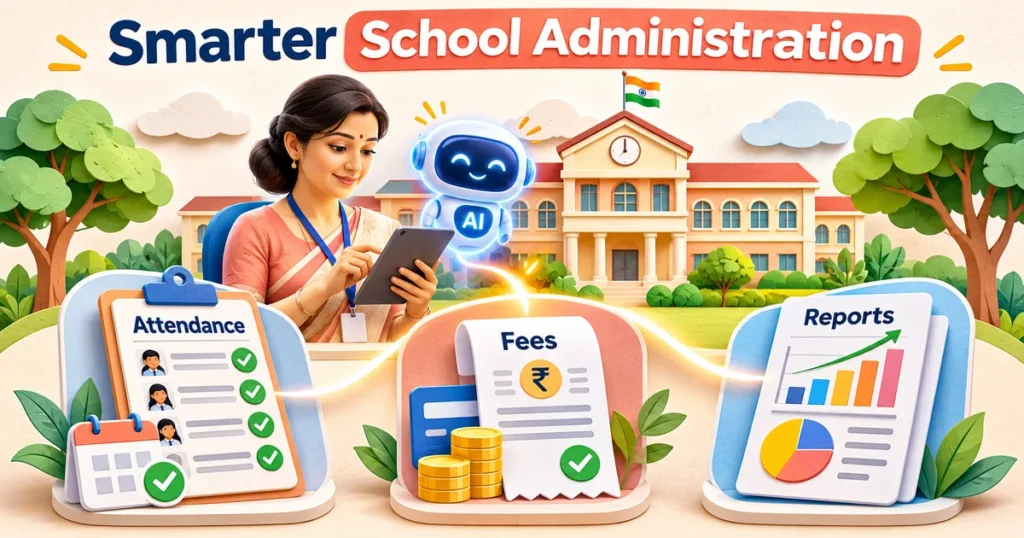
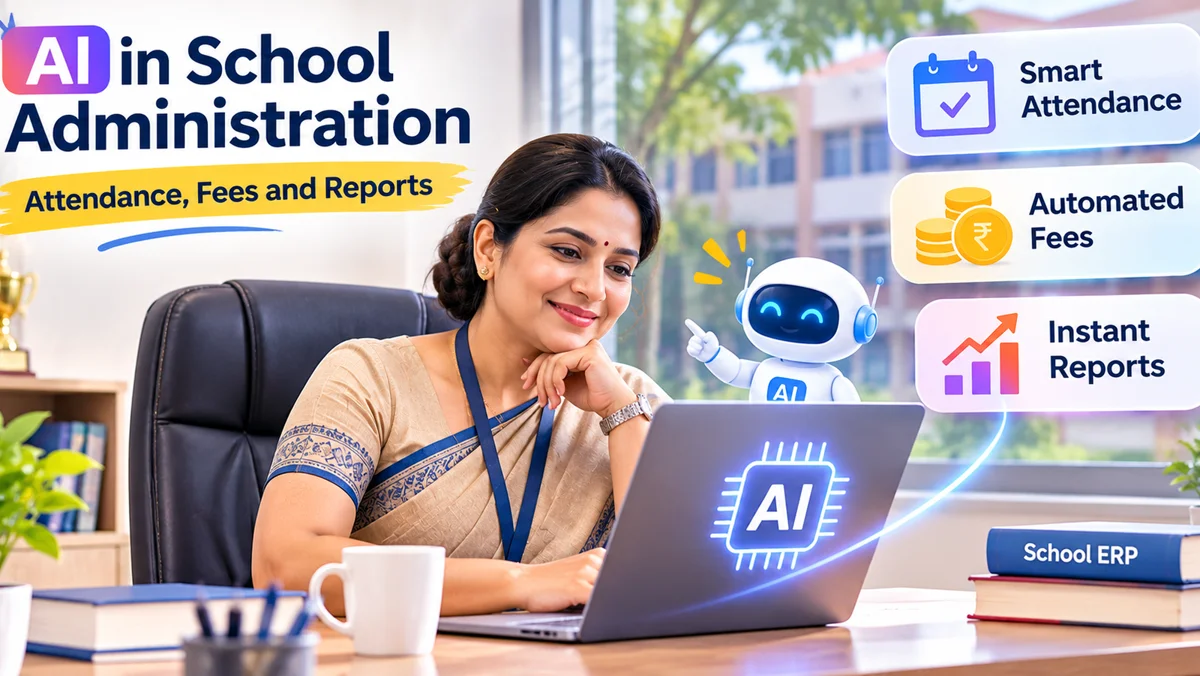
AI in school administration can help Indian schools spot attendance gaps, prioritise fee follow-ups and turn records into useful reports. It works best alongside a reliable school ERP, accurate data and staff oversight. Ordinary automation already saves repetitive effort; AI adds the ability to recognise patterns, summarise information and suggest next steps. Neither replaces a teacher’s judgment, a finance team’s reconciliation or a principal’s responsibility for student privacy. Here is how to use both sensibly.
What AI in School Administration Actually Means
A school office handles admissions, registers, transport updates, fee receipts, examination records and parent requests. When information sits in disconnected spreadsheets or paper files, staff spend time finding and reconciling it. A school ERP creates a shared record. Rule-based automation can send a receipt after payment, flag an absent student or produce a scheduled statement.
AI serves a different purpose. It might summarise patterns across attendance records, recommend which fee accounts need a personal follow-up or prepare a first draft of a management report. Such outputs are suggestions based on available data, not verified facts by themselves. An administrator should be able to inspect the source records and correct a mistaken conclusion.
For a school considering AI, the first question is not whether a dashboard looks intelligent. It is whether the records feeding it are complete, consistently entered and accessible to authorised staff.
A simple way to evaluate readiness is to trace one ordinary school day. A teacher marks attendance, the office corrects an approved leave entry, a parent pays a fee, and the finance team reconciles that payment. If those changes cannot be traced confidently through the system, an AI layer will amplify confusion rather than remove it. Staff should be able to explain the outcome without relying on an opaque score.
How AI Can Support More Reliable Attendance Workflows
Keep the register authoritative
Teachers should still have a clear, dependable way to record presence, absence and approved leave. An ERP can consolidate classroom entries and produce an absence list. AI-assisted tools could then identify unusual patterns, such as recurring absences on a particular weekday, or draft a summary for a class coordinator to examine.
Turn alerts into thoughtful follow-up
The value is in the action after the alert. An unexpected absence may need a parent call; a prolonged pattern may warrant a supportive conversation. Staff should consider illness, transport disruption and approved activities before acting. Avoid treating an algorithmic risk label as a finding about a child or family.
Schools should also agree on who receives an alert and how quickly it must be checked. A class teacher may need a same-day list of unexplained absences, whereas a principal may prefer a broader weekly summary. Without these limits, even a technically accurate system can overwhelm staff with alerts that nobody has time to interpret.
For example, imagine the system highlighting incomplete attendance entries for one section. The class teacher first verifies whether records were missed, then the office sends only appropriate messages. This is a hypothetical workflow, not a claim that every school ERP currently offers predictive attendance features.
Useful attendance checks
- Are teachers able to correct an entry with an audit trail?
- Are public holidays, exams and approved leave handled consistently?
- Can parents see only their own child’s attendance?
- Can authorised staff distinguish a missing entry from an actual absence?
Using AI for Fee Management Without Losing the Human Touch
Fee administration combines schedules, concessions, instalments, payment modes, receipts and reconciliation. Basic software rules can calculate amounts due and send reminders according to an approved calendar. AI may help classify common payment queries, summarise ageing balances or suggest which cases require an individual conversation. Schools must not confuse a predicted delay with a confirmed default.
Separate routine reminders from sensitive cases
A routine reminder can simply state the due date, amount shown in the official ledger and secure payment instructions. Matters involving concessions, disputes, financial hardship or a mismatched receipt should go to an authorised finance employee. No message should publicly reveal a family’s financial circumstances.
A well-designed workflow also prevents duplicate or incorrect demands. Payments received through cash, bank transfer or an online gateway must be reconciled before a reminder is triggered. The ledger remains the source of truth, even when AI helps staff understand the queue.
Tone matters as much as timing. Parents may read a reminder on a shared phone or during a busy workday. Messages should use neutral wording, offer a clear way to ask a question and avoid labelling a family as irresponsible. An administrator should approve the message template, the recipient logic and the escalation route before any campaign begins.
Where school leaders should demand controls
Look for permission-based access, documented adjustments, a visible receipt history and approval before any sensitive mass communication. Ask whether automated messages can be paused during reconciliation. When a parent questions a charge, the school needs a traceable correction process, not a chatbot inventing an answer.
From Raw Records to Reports School Leaders Can Use
Management reports become useful when they answer a specific question: Which classes have unverified attendance? Which fee receipts remain unreconciled? What reports are waiting for academic approval? AI can help turn dashboards into plain-language summaries, but the numbers and definitions must come from checked records.
Reports worth prioritising
Daily operational summaries can show missing register submissions, unresolved finance items and pending administrative approvals. Weekly summaries might group repeated issues by class, campus or workflow. Term reports can compare patterns across periods, provided the underlying definitions have not changed.
Report design should also account for school calendars. Attendance totals during examinations or holidays are not directly comparable with ordinary teaching weeks. Fee collection views may need separate treatment for new admissions, instalment plans and approved concessions. Displaying those distinctions is often more valuable than adding another colourful chart to the dashboard.
A generative AI assistant might draft, “Attendance entries for Section B need confirmation,” but a staff member should check the exact section, date range and source before sharing. A fluent sentence is not evidence of data accuracy. Reports used for official submissions must follow the school’s approved format and validation process.
Match the report to its reader
A principal needs trends and exceptions; a class teacher needs actionable students and dates; a finance officer needs transaction details; parents need only information relevant to their child. This separation improves usability and protects confidentiality. AI summaries should inherit those same role-based boundaries.
AI, ERP Automation and Manual Work: A Practical Comparison
Not every school problem requires an AI model. Standard ERP workflows are generally easier to verify for deterministic tasks. Use AI where interpretation, classification or concise explanation adds value, and preserve human approval when a decision affects a child, parent or financial record.
| School task | Best starting approach | Human safeguard |
|---|---|---|
| Mark daily attendance | ERP register and rules | Teacher corrects entries |
| Send standard fee reminders | Approved scheduled automation | Finance team handles disputes |
| Spot unusual absence patterns | Optional AI analysis | Coordinator checks context |
| Summarise dashboard trends | Optional AI draft | Authorised staff verify totals |
| Approve refunds or fee waivers | Human-led workflow | Documented approval |
This distinction also helps with purchasing. Ask vendors to demonstrate the exact function on sample school records and explain what happens when the input is incomplete. A feature described as “smart” may be a useful rule, a statistical model or merely a visual dashboard. Each has different maintenance and oversight needs.
A Safe Rollout Plan for Indian Schools
Start with trustworthy records and realistic goals
Begin with a narrow, measurable administrative task, such as resolving missing attendance entries or preparing a weekly fee reconciliation summary. Check how data reaches the system, who can change it and how corrections appear. Use fictional or properly de-identified sample records during early demonstrations.
Then pilot with a small authorised team. Compare suggested actions with the original register or ledger, document mistakes and decide which outputs must wait for human approval. Train staff to challenge an AI summary when it conflicts with the underlying data. Review support arrangements, backups, integrations and the ability to export records before expanding.
Write a short acceptance checklist for the pilot: Are entries accurate after corrections? Can staff explain a flagged item? Does a parent receive the right notice? Can the administrator switch the feature off without losing records? The aim is to prove that the workflow works under everyday school conditions, not to showcase the most sophisticated technology.
Protect student and parent information
Student records may include identities, contact details, attendance history and sensitive family circumstances. Schools should ask vendors where data is stored, whether it is used to train models, who can access it, what is logged and when it is deleted. Limit information sent to outside AI services. Follow applicable law and obtain qualified legal advice on consent, notices and school-specific exemptions.
India’s Digital Personal Data Protection Act, 2023 and the notified rules have phased commencement and specific provisions affecting children’s data. A school should not assume that every AI feature is automatically lawful simply because it is intended for education.
Key takeaways for school administrators
- Build dependable attendance, fee and reporting workflows before adding AI features.
- Use AI to flag patterns and draft summaries, not to make unreviewed decisions about students.
- Keep fee balances and attendance records tied to the verified ERP data.
- Require access controls, audit trails, privacy safeguards and a clear correction route.
- Pilot one operational use case before committing to a wider deployment.
Frequently Asked Questions About AI School Administration
Can AI automatically take attendance in a school?
AI-assisted systems may support attendance capture or identify unusual patterns, but schools still need a reliable register and a process for correcting errors. Camera-based identification introduces additional privacy and accuracy considerations. A simpler teacher-entered ERP register may be more suitable than advanced AI for many campuses.
Can AI send fee reminders to parents?
Yes, software can automate approved fee reminders, and AI may help organise enquiries or draft message wording. However, the amount due must come from a verified ledger. Staff should review exceptions, concessions and disputes, and messages should go only to the appropriate parent or guardian.
Does every school ERP include AI features?
No. An ERP may offer attendance, fee collection and reporting without predictive models or generative AI. Automated receipts and scheduled alerts are not necessarily AI. Ask the vendor for a live demonstration of each advertised capability, its data requirements, access controls and the process for correcting mistakes.
How can AI improve school reports?
AI can help highlight trends, group recurring issues and turn authorised dashboard data into understandable summaries. It cannot guarantee that the underlying records are correct. School leaders should verify totals, date ranges, definitions and sensitive details before sharing reports or using them for decisions affecting students.
What should schools check before adopting AI?
Check student privacy, parental communications, staff permissions, audit logs, data storage, backups, vendor contracts and integration with existing records. Trial the tool on limited, appropriate data and compare its output with verified source records. Ensure administrators can override recommendations and reach human support when something goes wrong.
Use AI to Support Staff, Not Replace School Judgment
AI school administration is most useful when routine records are dependable and staff know what a recommendation means. Attendance insights can prompt a helpful follow-up, fee summaries can organise work and reporting drafts can save reading time. But school leaders remain responsible for accuracy, fairness, security and communication with families.
Explore BlinkWorx’s eSchoolApp school ERP solutions to see the school management workflows available today. Discuss any proposed AI enhancements separately, including whether they are offered, configurable or require additional development.
For a practical conversation about your school’s requirements, contact BlinkWorx or