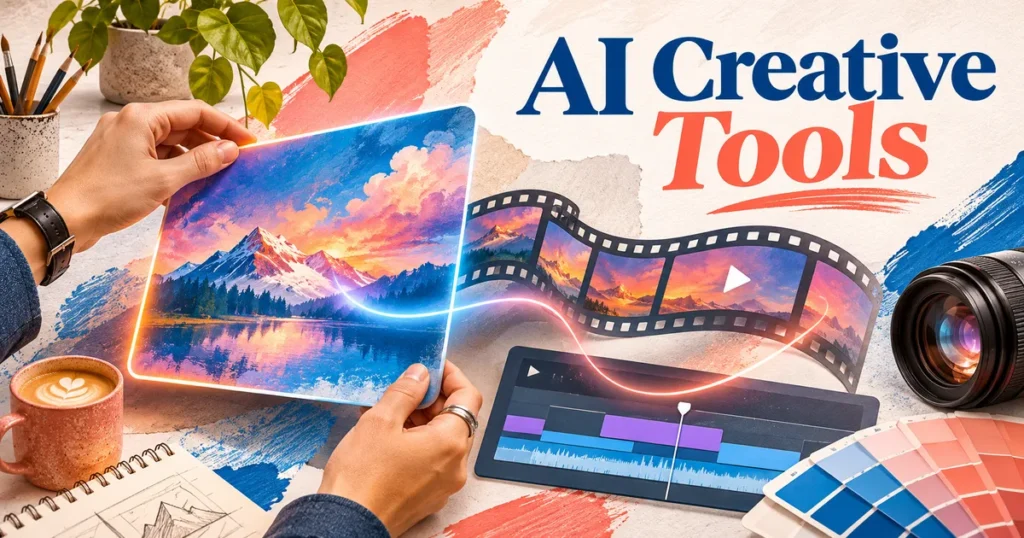
AI image generators and AI video tools for marketing can speed up campaign concepts, social clips, product scenes and content variations. The best results come when marketers use these tools for a defined creative task, then check accuracy, branding, permissions and performance before publishing. AI can make production more flexible, but it does not replace a clear message, professional editing or an understanding of the audience. This guide explains which tool categories to consider and how to build a responsible, repeatable workflow.
Where AI Image and Video Tools Fit in Marketing Work
A marketing campaign rarely needs just one finished picture. It needs a campaign idea, different aspect ratios, launch teasers, illustrations for articles, short-form videos, product demonstrations and creative tests. Generative tools are most useful when they reduce the repetitive preparation between those outputs.
Strong use cases for images
Image generators can help visualise a campaign direction before a full shoot, create generic concept art, produce backgrounds for posters and explore colour treatments. A restaurant might visualise a festive atmosphere while a software company might explore abstract technology artwork. Neither should present invented facilities or products as documentary evidence.
Strong use cases for video
AI video generation is useful for visual transitions, atmospheric footage, animated still images and early storyboards. Editors can combine those outputs with real product screenshots, approved footage, accurate captions and a human voice. That combination is often more credible than a completely synthetic advertisement.
AI Video Tools for Marketing: What to Compare
The right AI video tools for marketing depend on whether you need original footage, animation from a still image, or faster editing of material your team already owns. A tool that produces striking demonstrations may be less suitable for brand-sensitive product explanations.
| Tool category | Best-fit task | Important check |
|---|---|---|
| Text-to-image | Concept art, generic scenes, visual drafts | Objects, text, claims and brand style |
| Image-to-video | Animate approved stills or campaign artwork | Motion stability and visual continuity |
| Text-to-video | Generate short scene concepts and cutaways | Realism, rights and editing control |
| AI-assisted editing | Captions, reframing, cleanup and versions | Timing, subtitles and factual accuracy |
| Design suite with AI | Resize, assemble and adapt branded assets | Template permissions and export settings |
For example, Canva Magic Media supports generating images and videos from written descriptions, while Runway offers generation and editing workflows for video. Their available models, usage limits and licensing terms can change, so check the official product pages rather than assuming a feature or export option is included in every plan.
Do not confuse a realistic sample with reliable production output. Test a short brief that resembles the work you actually publish: the same product category, text density, approval process and destination format.
Choose an AI Image Tool for Consistency, Not Novelty
A striking picture is not necessarily an effective brand asset. Marketing teams need a recognisable visual identity across campaigns. When comparing image tools, look beyond the initial prompt result and ask whether a designer can guide the composition, revise one element, match previous assets and export useful dimensions.
Build a short creative brief before prompting
Specify the campaign objective, audience, main visual subject, brand palette, placement for final copy and prohibited details. If the image must show a product, use an approved product reference where the tool and your permissions allow it. Keep final prices, offers and claims in an editable design layer rather than relying on generated typography.
Keep reusable references outside the generator
Maintain approved colours, typography, image references, logos and disclaimers in a shared brand kit. Generated imagery should be another ingredient in the design process, not the place where the team invents its brand rules. Designers should verify that a stylised scene does not imply a feature, location or certification the business does not have.
A Campaign Workflow from Prompt to Published Asset
The biggest improvement comes from organising decisions around the creative, rather than allowing every marketer to generate assets independently. The following workflow works for social ads, organic posts and video cutdowns.
- Write one campaign brief with the audience, objective, offer, desired action and channels.
- Create a small set of visual directions, then choose the most relevant one before producing variants.
- Generate images or footage with consistent references, shot descriptions and aspect ratios.
- Edit the outputs to correct hands, products, movement, on-screen details and awkward transitions.
- Add approved headlines, subtitles, sound, branding and a clear next action in your editing software.
- Check each export on a phone, confirm permissions and accessibility, then publish a controlled test.
- Compare results with the campaign goal and retain the effective assets and prompt notes.
For short-form video, start with a simple shot list: opening problem, visual explanation, proof point and next action. Generate or source each shot separately. This approach makes it easier to replace an inaccurate clip without rebuilding the full ad.
Protect Brand Trust, Rights and Customer Information
Commercial permission is not the same as unlimited legal safety. Tool terms may vary by model, account and asset type. Before producing paid campaigns, confirm usage rights for prompts, uploads, generated output, stock elements, audio and any likenesses. Do not assume that a generator grants permission to use an existing trademark, copyrighted character or recognisable person.
Know when realistic content needs context
Synthetic testimonials, fabricated product results and convincing portrayals of real people can mislead audiences. Use real evidence for customer outcomes, endorsements and product functions. Where local law or advertising-platform rules call for AI-content disclosure, follow the relevant requirements. Transparency also helps when viewers might reasonably mistake a synthetic scene for an actual event.
Protect information entered into prompts
Avoid uploading customer lists, private campaign plans, unreleased product details or student and patient information without an approved data-handling arrangement. Check retention controls and account permissions. A marketing workflow should include an internal approval step for sensitive content, not just a final design review.
Google Search Central also recommends checking the accuracy, quality and relevance of AI-created material. A polished image does not excuse misleading context or low-value website content.
Measure Creative Value Beyond Faster Production
Saving design time can be useful, but the purpose of marketing is an audience response. Compare AI-assisted creative with ordinary production using the same objective and a fair testing method. Track how long a usable asset takes to approve, how many corrections it needs and whether it supports the campaign outcome.
Match the metric to the campaign
For awareness content, inspect relevant reach, completion quality and audience response. For traffic campaigns, review engaged visits and landing-page behaviour. For lead generation, measure qualified enquiries and eventual customer outcomes instead of judging a design only by likes or views.
Keep production cost separate from media spend. Account for staff editing, subscriptions, sound, approvals and rejected attempts. A cheap-looking creative that harms trust can cost more than it saves. Use results from your own campaign rather than borrowing platform benchmarks or assuming AI assets always outperform traditional work.
Keep a record of what changed
Document the creative brief, prompt direction, revision notes, channel, format and final outcome. This gives the team a useful record of which styles and messages worked, without confusing different audiences or campaign periods.
Key Takeaways for Marketing Teams
- Choose image generation, video generation or AI-assisted editing according to the asset needed.
- Use real product and customer evidence whenever a creative makes factual claims.
- Keep campaign messaging and on-screen text editable after generation.
- Check rights, likenesses, privacy and applicable disclosure rules before publication.
- Evaluate approved creative quality and campaign outcomes, not output quantity alone.
Frequently Asked Questions About AI Marketing Creative
Can AI video replace a professional video editor?
AI can help create scenes, transitions, captions and rough cuts, but professional editing remains valuable for storytelling, factual accuracy, pacing and brand consistency. Complex product demonstrations also need genuine footage or screenshots. Treat generated clips as source material that an editor can select, improve and combine, not as guaranteed finished advertisements.
Which AI video tools are suitable for a small marketing team?
Start with the task rather than a brand name. Teams making social cutdowns may benefit most from AI-assisted editors; teams creating atmospheric clips may prefer a video generator. Compare output controls, commercial terms, export formats and available team approvals through a small practical test before committing to a subscription.
Can AI-generated images be used in paid advertisements?
They may be usable, depending on the generator terms, underlying assets, local law and advertising-platform policies. Check permissions for real faces, trademarks, music and reference images. Product claims still need evidence. If the resulting creative could mislead people or requires an AI disclosure, modify or label it before publishing.
How do we keep AI creative consistent with our brand?
Use a written brief containing the brand palette, visual references, tone, audience and excluded elements. Generate a limited set of directions, then refine the selected concept in an editor. Keep typography, logos, product facts and campaign offers in controlled files so every generated version follows the same approved standards.
Does AI-generated creative automatically improve SEO or conversions?
No. Search visibility and conversion depend on the overall usefulness, relevance and experience of the page or campaign. AI can help create relevant supporting images and video, but weak messaging or misleading material can still perform poorly. Measure actual visitor behaviour and business outcomes before concluding that the technology improved results.
Build a Sustainable AI Creative Workflow with BlinkWorx
AI image generators and AI video tools for marketing can expand what a team produces, provided creative quality stays connected to real business needs. Start with one repeatable campaign format, establish brand and legal checks, and use the results to improve the next brief. The objective is better, more relevant communication, not simply more content.
For teams exploring custom workflows, discover BlinkWorx AI development services for practical ways to combine generation, review and marketing operations.
Discuss your creative workflow through our contact page or WhatsApp team. Explore the AI development services for marketing workflows to plan a tailored solution.
Official references: Canva Magic Media documentation and Google Search Central AI content guidance